Find compilation bottlenecks and validate compilation for all target platforms.
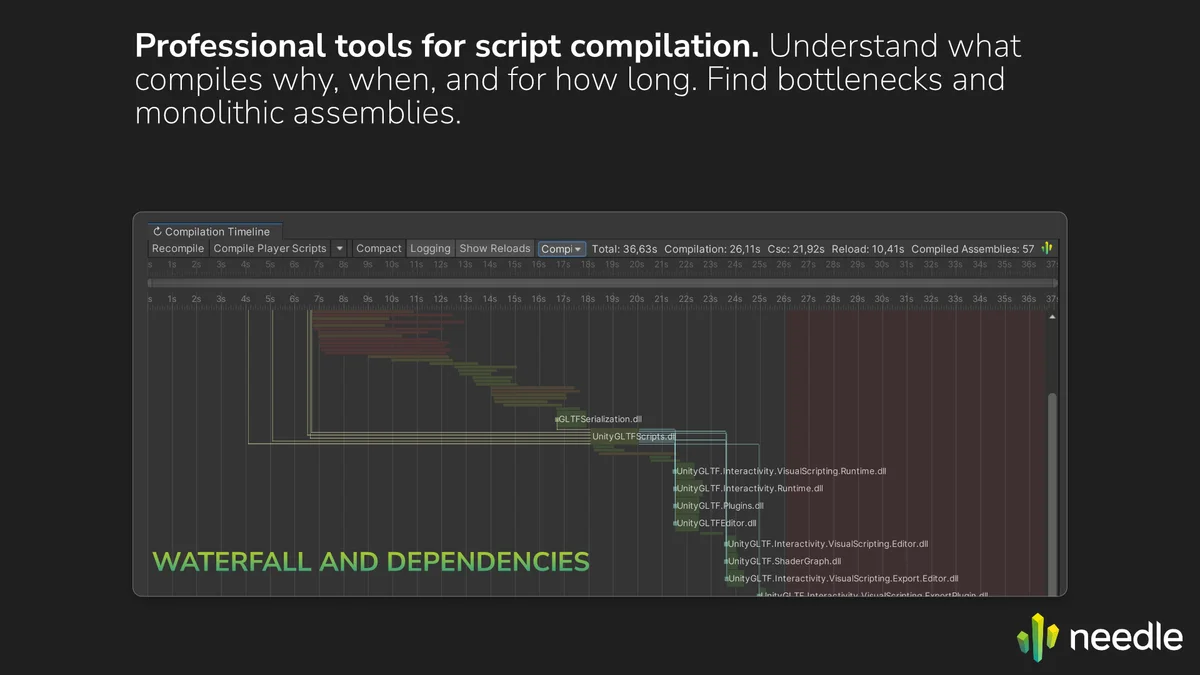
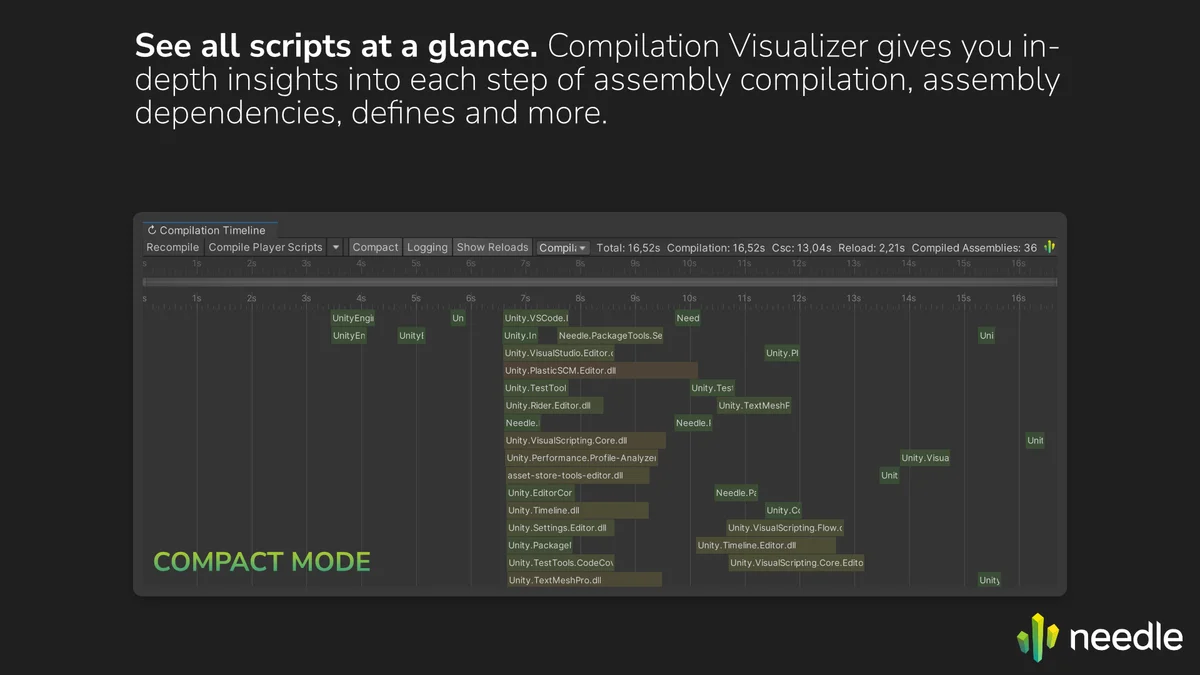
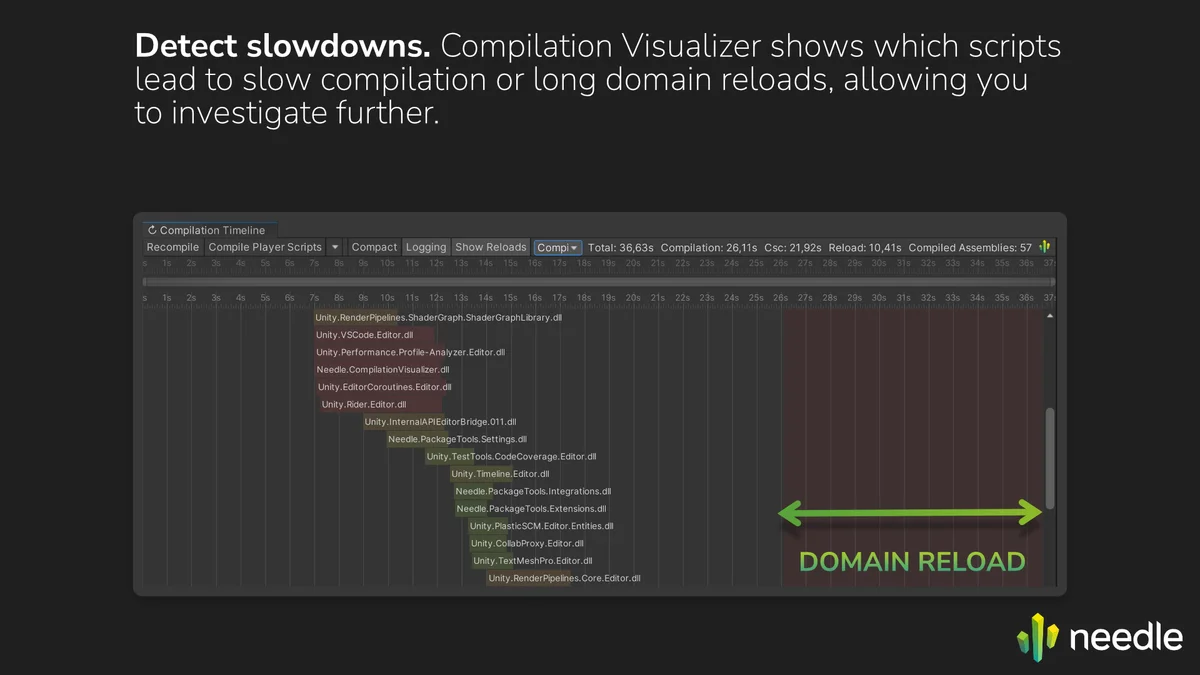
Compilation Visualizer gives you deep insights into the assembly compilation process in Unity. It displays incremental and full compilation runs on a beautiful timeline, showing compilation order, assembly dependencies, and domain reloads. That's especially helpful when trying to optimize compile times and dependencies between assemblies.
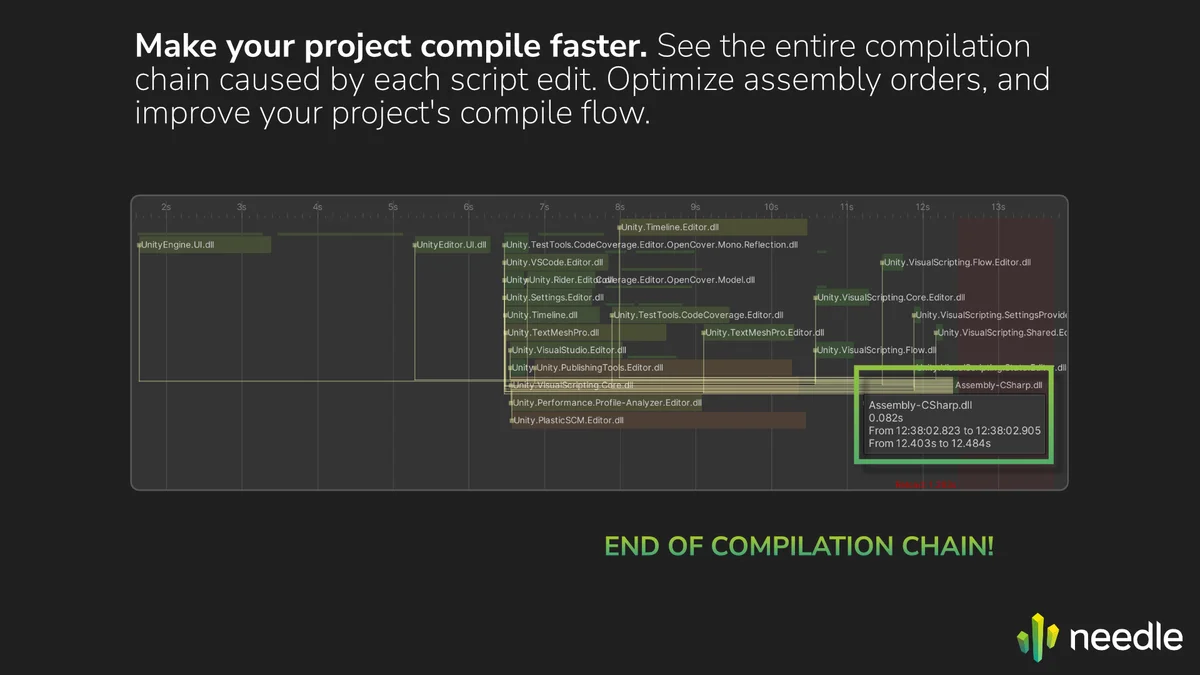
Besides showing a waterfall or compact view of compilation, selecting an assembly shows both dependencies and dependents of that assembly, so you can figure out where your precious compilation times go and improve assembly dependencies.
Incremental Compilation: When you compile a single script, assemblies that depend on the assembly the script is in need to be compiled as well. Compilation Visualizer shows this as a dependency waterfall, so you can optimize the order of your assemblies.
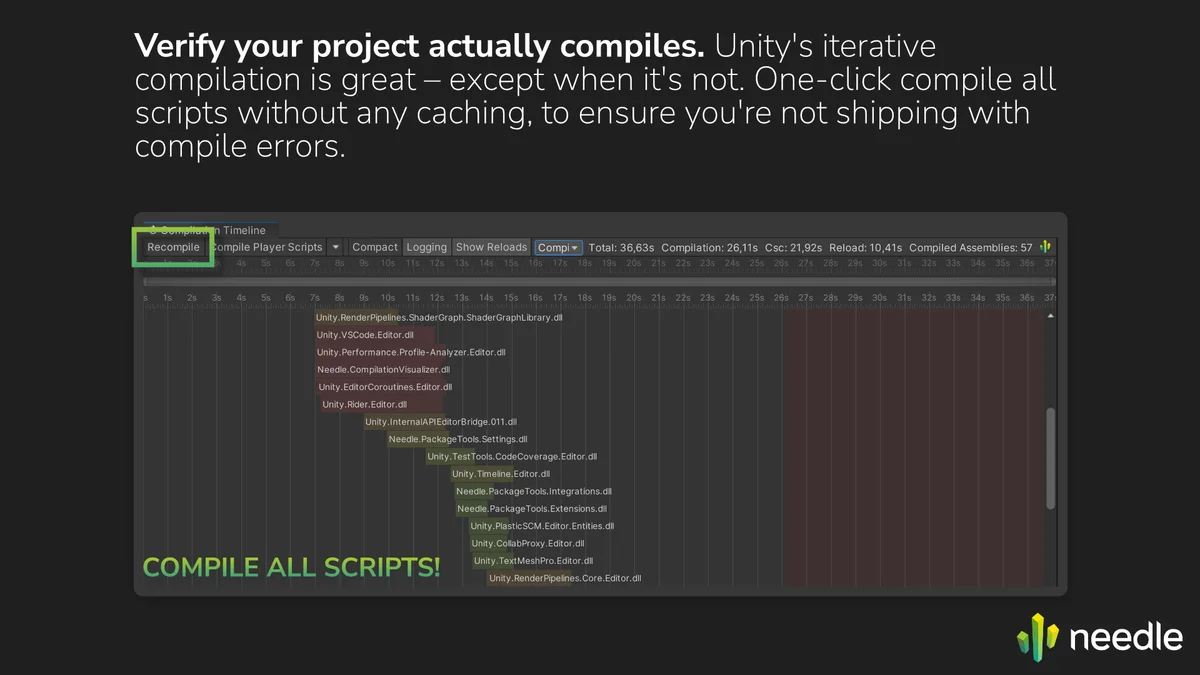
Full Compilation: Incremental compilation is great, but sometimes it can introduce hard-to-catch bugs when something is not compiled as it should. Compilation Visualizer has a one-click button to recompile your entire project, so you can verify it actually works.
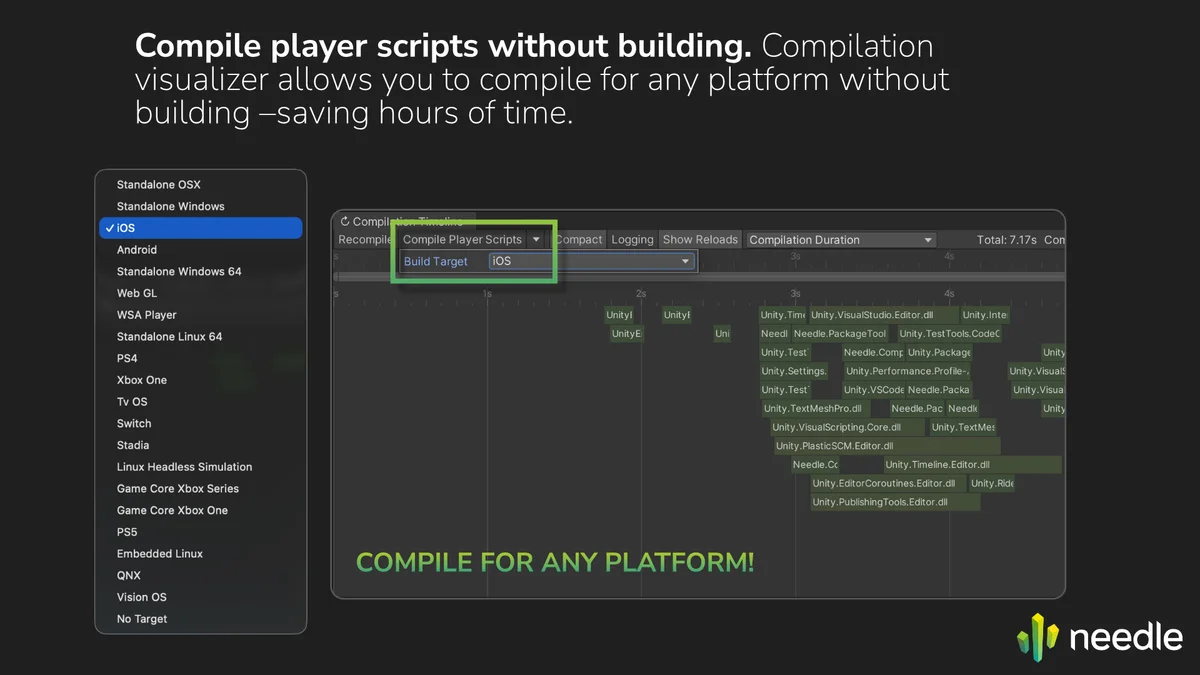
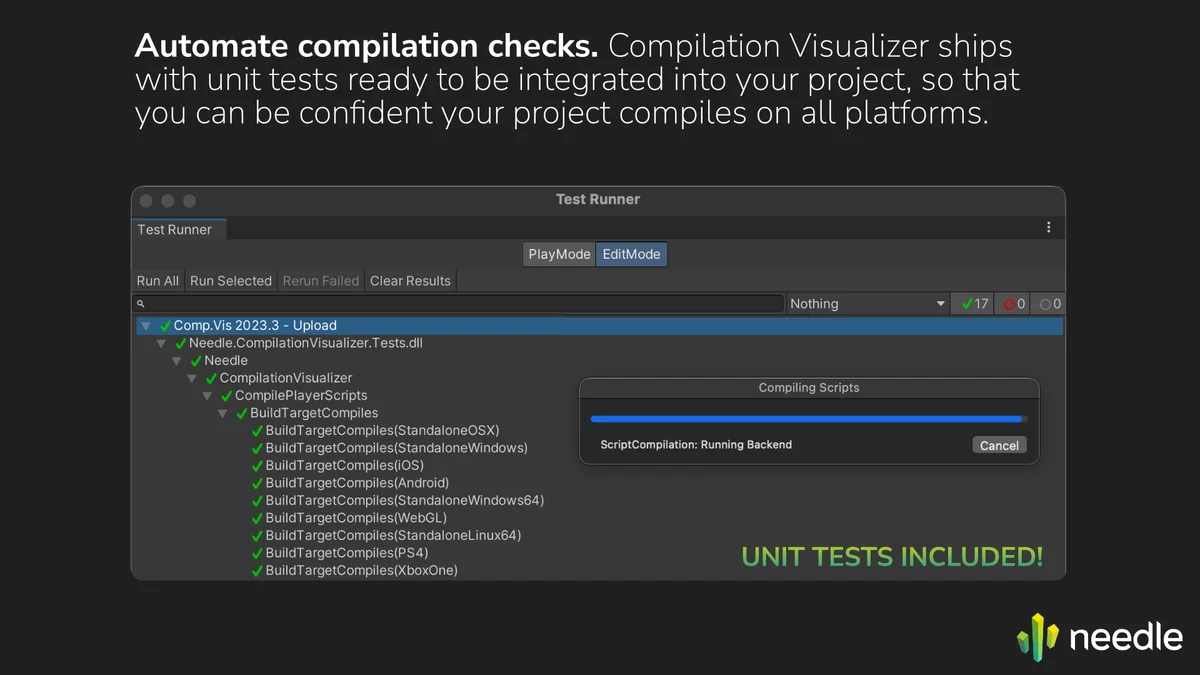
Player Script Compilation: Usuaully, to test platform-specific ifdefs and code, you need to build for that platform, which can be incredibly time consuming (switch to platform, build, build fails, fix scripts, just for another platform to now fail). Compilation Visualizer can compile for each target platform or all at once, to ensure that all combinations of platform ifdefs actually work, without the manual build steps.