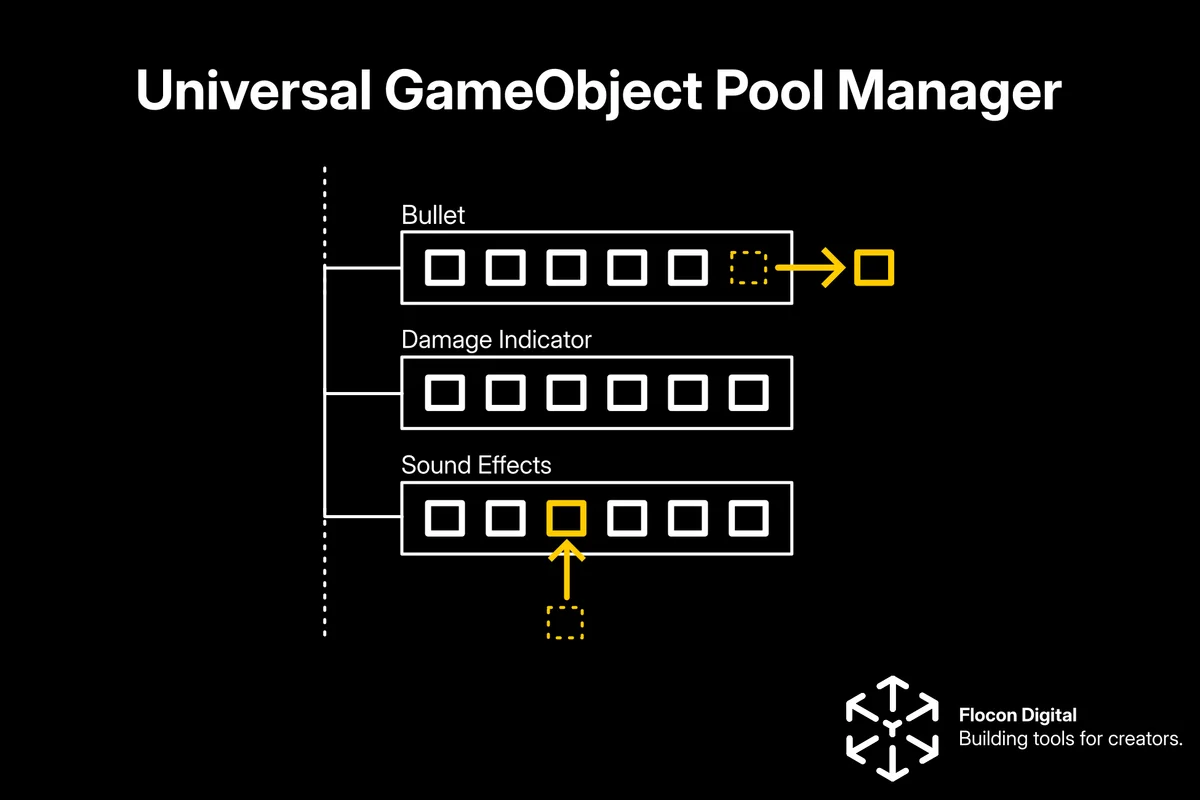
GameObject Pooler Editor is a fast, editor-friendly Unity object pooling tool with automated pool management, database generation, strongly typed pool keys, validation, and optimized runtime reuse.
🌟Extremely Simple API: Just 3 things to get started.
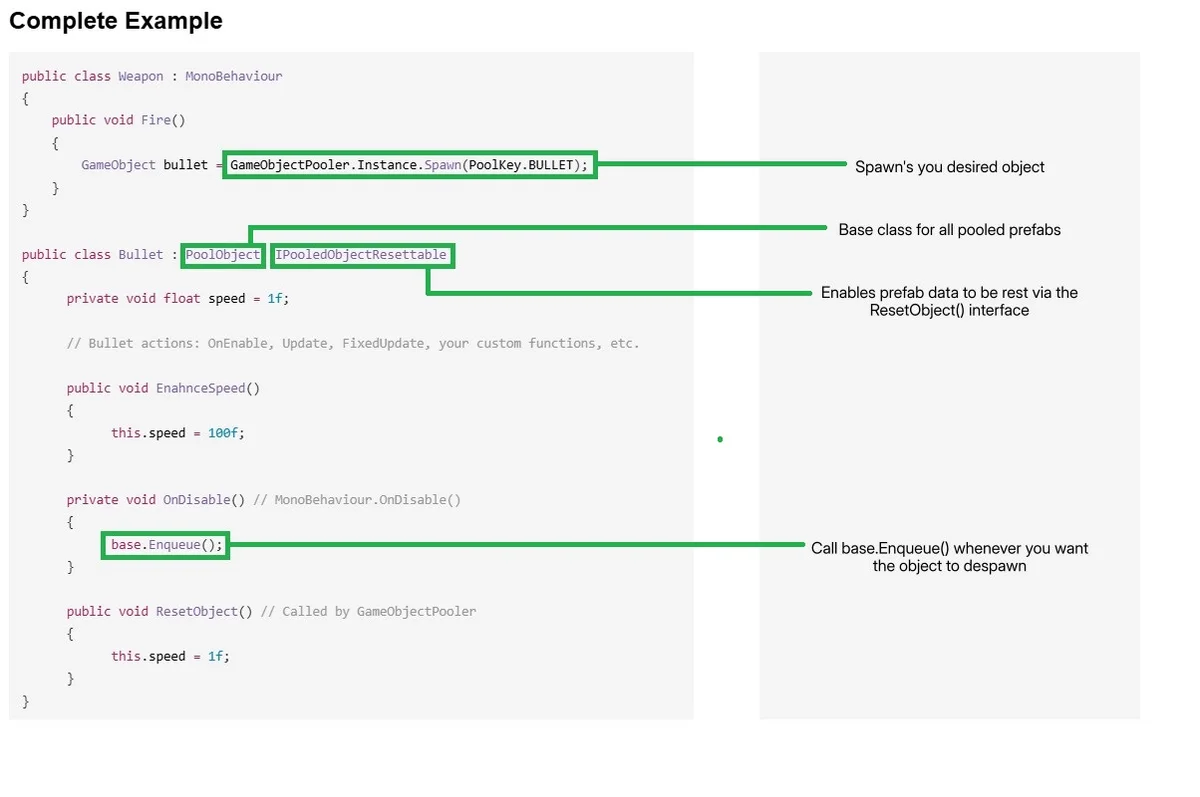
- Make the object you wish to spawn inherit from PoolObject class
- Call GameObjectPooler.Instance.Spawn() from your spawner
- Call base.Enqueue() whenever you want it to despawn
📄 Documentation
- Clear, easy-to-follow documentation with GIFs to visually guide you through setup and usage.
🚀 Efficient Object Pooling
Reduce performance costs caused by frequent:
- Instantiate()
- Destroy()
- Memory allocations
- Garbage collection spikes
- Objects are created once and reused throughout gameplay.
🛠 Editor-Based Pool Management
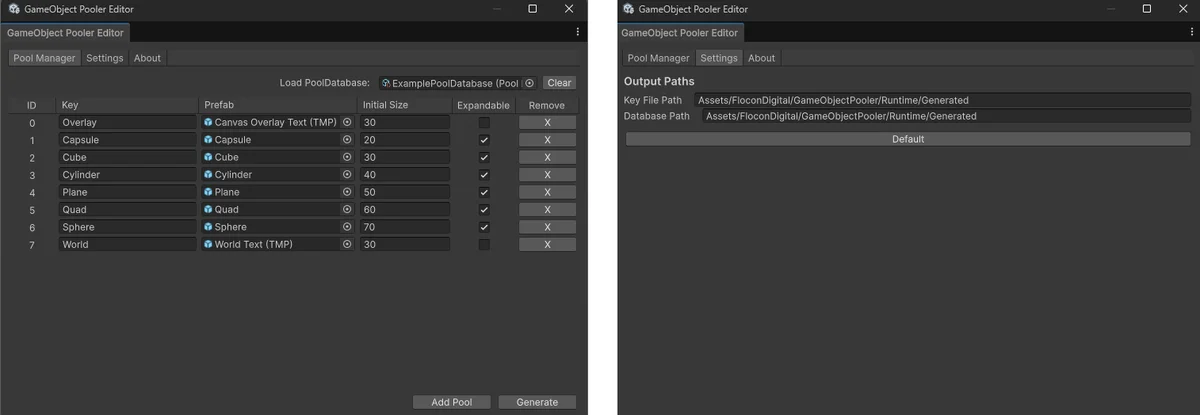
Manage your pools directly inside Unity with a dedicated editor interface.
Features include:
- Add and remove pool entries
- Assign prefabs visually
- Generate pool databases automatically
- Validate pool configurations before runtime
📦 ScriptableObject Database System
Pool information is stored in generated ScriptableObject databases.
Benefits:
- Easy asset management
- Inspector visibility
- Better project organization
- Fast runtime loading
🔢 Automatic Pool Key Generation
The system automatically generates strongly defined identifiers for your pools.
- Instead of manually typing pool names as strings:
GameObjectPooler.Instance.Spawn("Enemy");
- You can use an automatically generated constant:
GameObjectPooler.Instance.Spawn(PoolKey.ENEMY);
This helps prevent typos and keeps your pool references consistent across your project.
Advantages:
- Prevents spelling mistakes
- Provides autocomplete support
- Easier project maintenance