Texture Ledger measures exact GPU memory cost per-mip, finds waste, and fixes it in one click. Features batch edits with undo, sprite atlas analysis, preset rules with CI checks, and history snapshots. Automate your team's asset workflow instantly. Perfect for mobile, VR, and PC optimisation.
Why this exists 💫
The inspector tells you a texture's dimensions and format. It doesn't tell you what that costs, and it certainly doesn't tell you which forty of your two thousand textures are worth an afternoon
Texture Ledger answers both, and then lets you act on the answer in the same window. The measurement is honest arithmetic rather than a rule of thumb, and every step of it is documented in the tool itself
Why Texture Ledger?
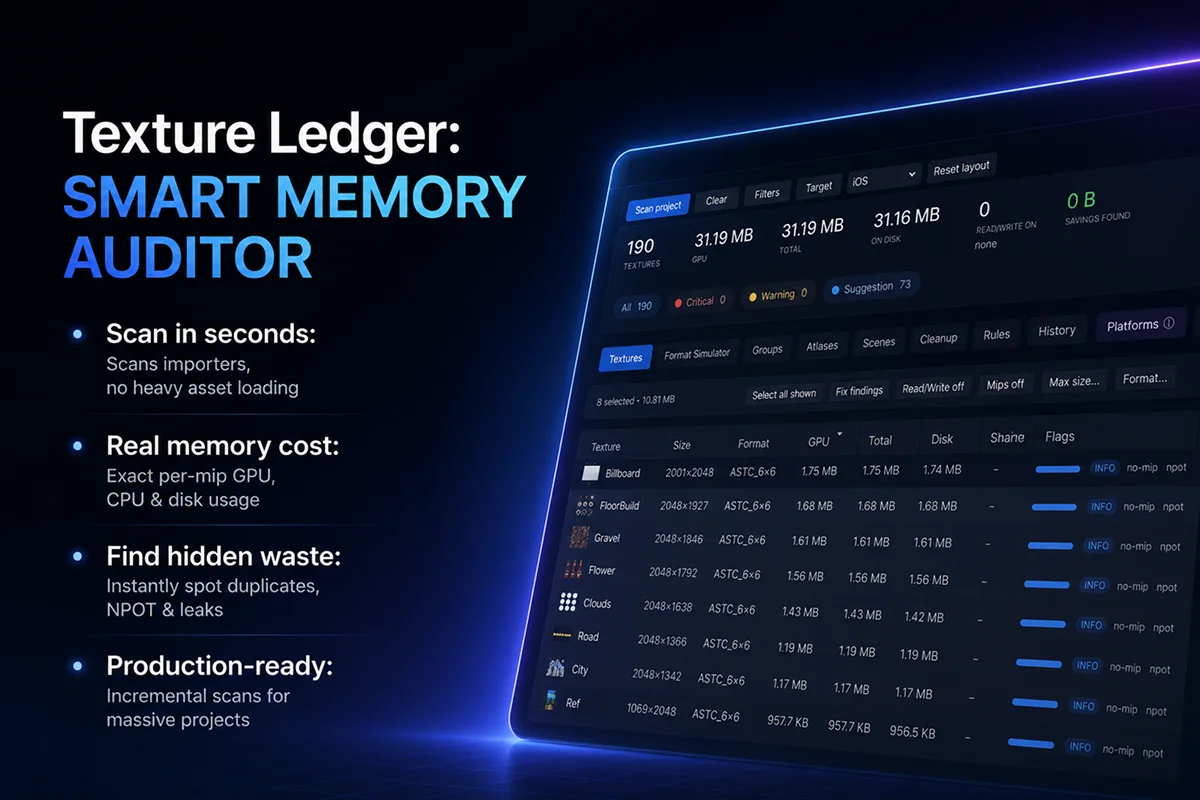
Know what your textures actually cost. Accurate per mip level memory, with GPU, CPU and disk usage shown separately
Find what is eating your texture budget. Read/Write, bad formats, MipMaps, oversized textures, NPOT padding, duplicates, unused textures and atlas issues
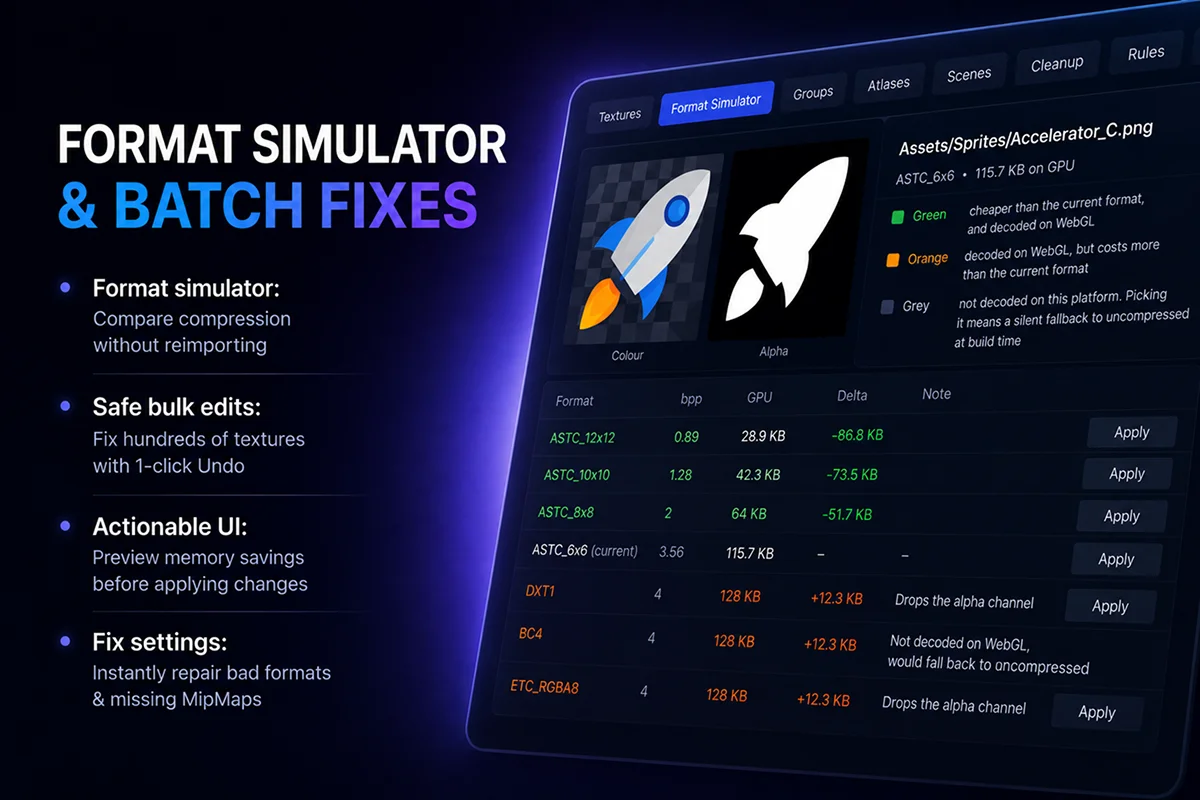
Compare formats instantly. See the cost of every format your target platform supports, without reimporting
Fix hundreds of textures in seconds. Preview changes before applying them, batch edit, and undo everything in one step
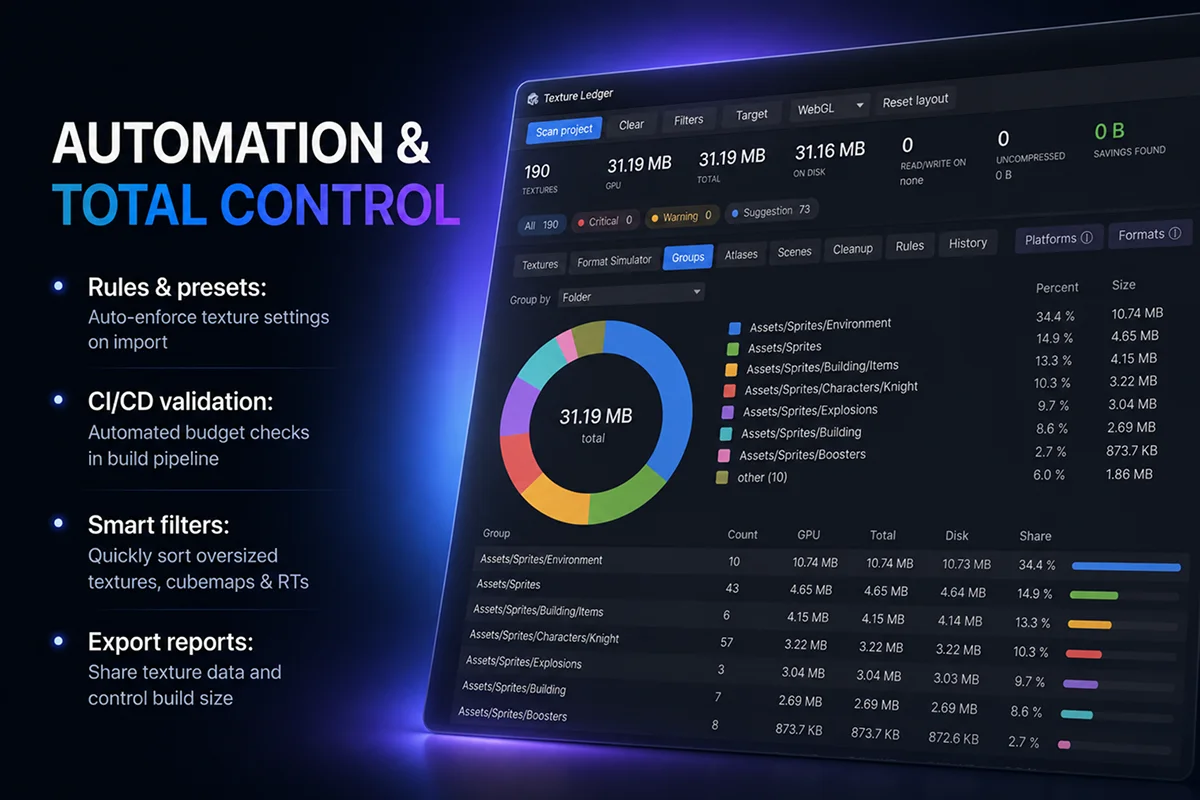
Find duplicates, possibly unused, cubemaps, volumes and render textures
Keep your project optimized. Create texture rules, use presets, apply them on import and validate them in CI
Optimised to handle a huge volume of textures. Scans importers instead of loading every texture. Cancellable and incremental scans
More 📚
- Per scene memory breakdown
- Snapshot history
- Sprite atlas analysis
- JSON / CSV export
- Modern UI Toolkit interface (Dark, Light Unity themes)
- Folder filters and ignore lists
- Inline importer editor
- Before & after previews
- Platform overrides
Unity versions 🔒 LTS (tested)
- Unity 2022.3 and newer, including Unity 2023, Unity 6, 6.1, 6.2, 6.3, 6.4 and 6.5
Supported platforms 📱💻🌐
- Analysis and rules cover PC (Windows, macOS, Linux), Android, iOS and WebGL
- Editor-only: nothing ships in your build
A note on what it doesn't do
It measures cost, not quality. A format that halves memory may look unacceptable on your art, and only your eyes can decide that. The tool prices every option and gets out of the way
Advice ☝️🤓
Start with the Textures tab sorted by Total, fix the top twenty, then take a snapshot. Once you know what your project's settings should be, write them down as rules and put the CI check in your build. That is the difference between one cleanup afternoon and a project that stays clean
Support 💬🐛🚨
Questions, bug reports and feature requests go to our Discord, and you will get an answer from the people who wrote the tool
Discord: https://discord.gg/R4euJmZefT