Starch is a ScriptableObject architecture toolkit for Unity. It shows how modules of your project depend on each other. It helps you replace direct references with ScriptableObject variables, events and lists, so parts work alone and are easy to swap or remove.
Starch — ScriptableObject architecture tool for Unity
Starch is a ScriptableObject architecture toolkit for Unity. It shows how modules of your project depend on each other. It then helps you replace direct references with ScriptableObject variables, events and lists, so parts work alone and are easy to swap or remove.
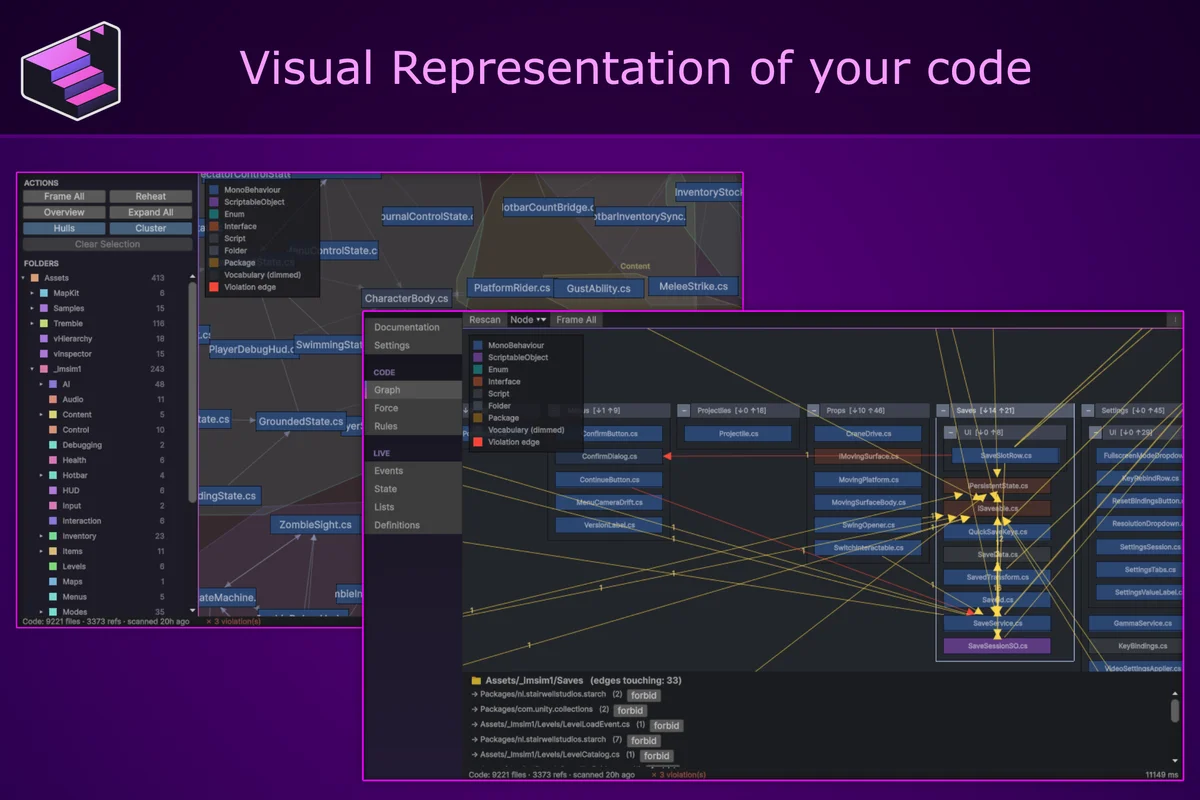
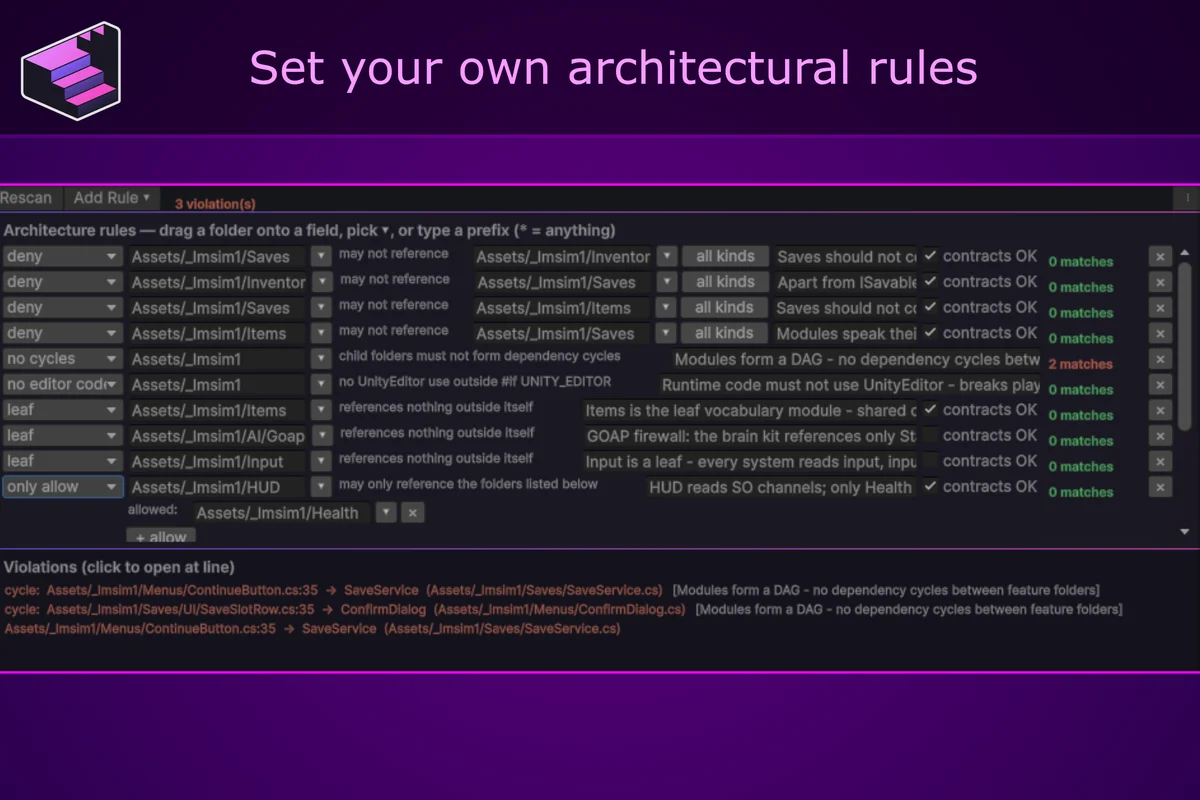
When code is written by an LLM, or by several people on a team, no single author sees every dependency being added. The architecture is then whatever the code has become. Starch keeps track of it: it reads the C# source and shows the dependencies between modules, and you state as rules which modules may reference which, so each scan reports where the code differs. To keep the modules separate, the runtime kit replaces direct references with ScriptableObject events, variables and sets, so two systems can communicate without either referencing the other.
The Architecture window
The architecture window has a few different ways of viewing your project
Graph : your folders as nested boxes with folder dependency edges, scanned from C# source.
Force : the same data as a force-directed layout; hubs and clusters become visible.
Rules : Rules such as "this folder may not reference that one"; violations listed with file and line and drawn red in the graph.
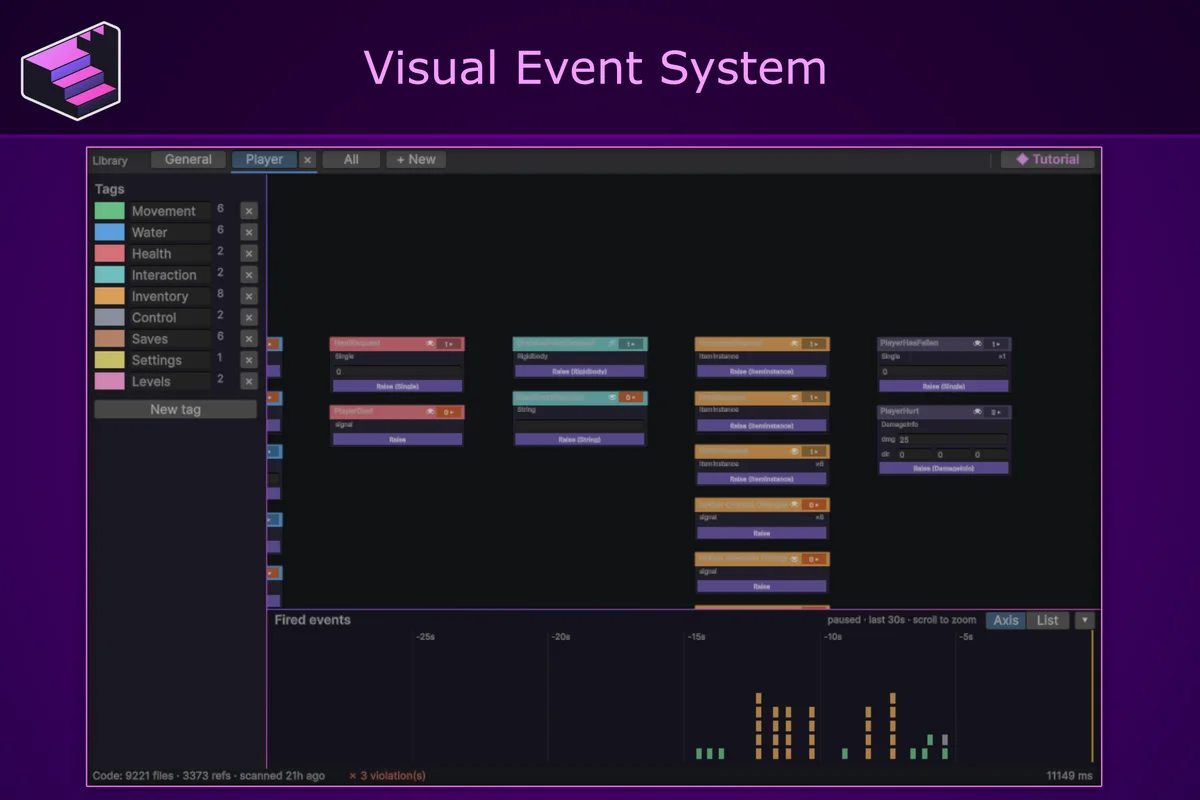
Events : each event as a card: raise it by hand (typed payloads included), inspect its current listeners, follow the fired-event log as a timeline or a list.
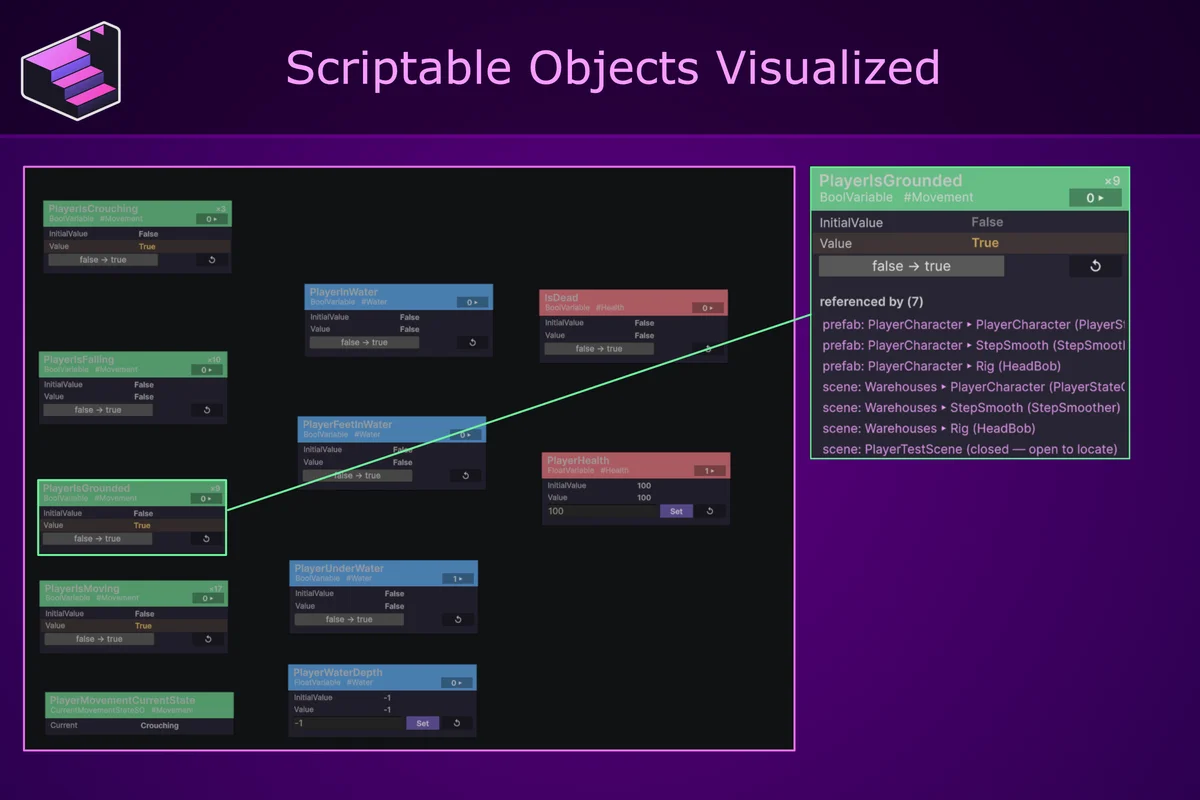
State : Runtime Variables and state assets live during play; values are editable in place, and drift from the authored value is highlighted.
Instances : a table of live runtime objects per registry (items, agents, doors), with their reported facts.
Definitions : your authored content catalog, with orphan and duplicate-name detection.
Settings : scan configuration and diagnostics.
Guide : the manual, built into the window.
The scriptable Object Types
Runtime Variables : shared values (float, int, bool, string, vector) that reset to their authored value each play session. The state tab shows values realtime and which objects write and read those values.
Events : signals between systems, raised and listened to from code or the Inspector. The events tab in the architecture window shows all events, what objects are currently listening to them and when they were called last.
Definitions : a base class for your immutable content. The definitions tab can show all items you described including relevant information about them.
Lists : live objects register themselves into a shared list asset while they exist; consumers read the list instead of holding a scene reference. Each entry gets a stable id, usable as a save key. Fields marked [Fact] appear as columns in the Instances tab. Add a TrackedObject component to register an object without writing code.
AI integration
The analyzer exposes a query API (DependencyQuery) that an AI assistant can call through any editor C#-eval channel, such as Unity MCP: what uses a file, what a file depends on, and Violations(), which checks the whole project against your rules. The package includes a ready-made SKILL.md for the assistant's context, instructing it to verify its own changes against your architecture. Everything runs locally: the analyzer reads only your own project's source code, and nothing leaves the editor.
Created with AI
AI tools were used in a supporting role for documentation drafting and limited implementation iteration during development. All architecture decisions, system design, final implementation, code review, and testing for Starch were carried out manually.