Record a selected 64-bit ASIO input directly to WAV and edit clips inside Unity with waveform selection, crop, delete, fades, normalization, undo/redo, and audio preview. Windows Editor only.
ASIO Audio Tools adds a simple recording and WAV editing workflow directly to the Unity Editor on Windows.
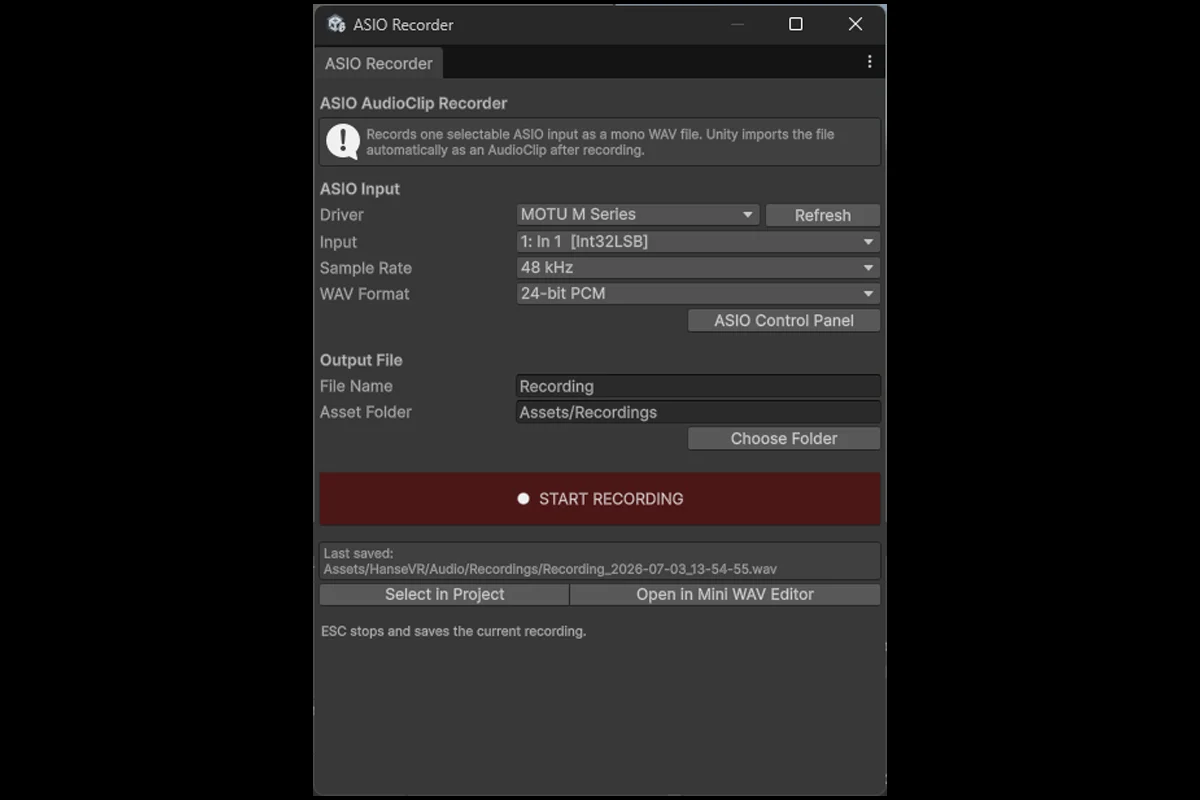
Record a selected input channel from an installed 64-bit ASIO driver and save the result directly as a WAV AudioClip inside your Unity project. After recording, the clip can be opened immediately in the included Mini WAV Editor.
Features
- Select an installed 64-bit ASIO driver
- Select the physical input channel
- Record at 44.1, 48, 88.2, or 96 kHz
- Save as 16-bit or 24-bit mono PCM WAV
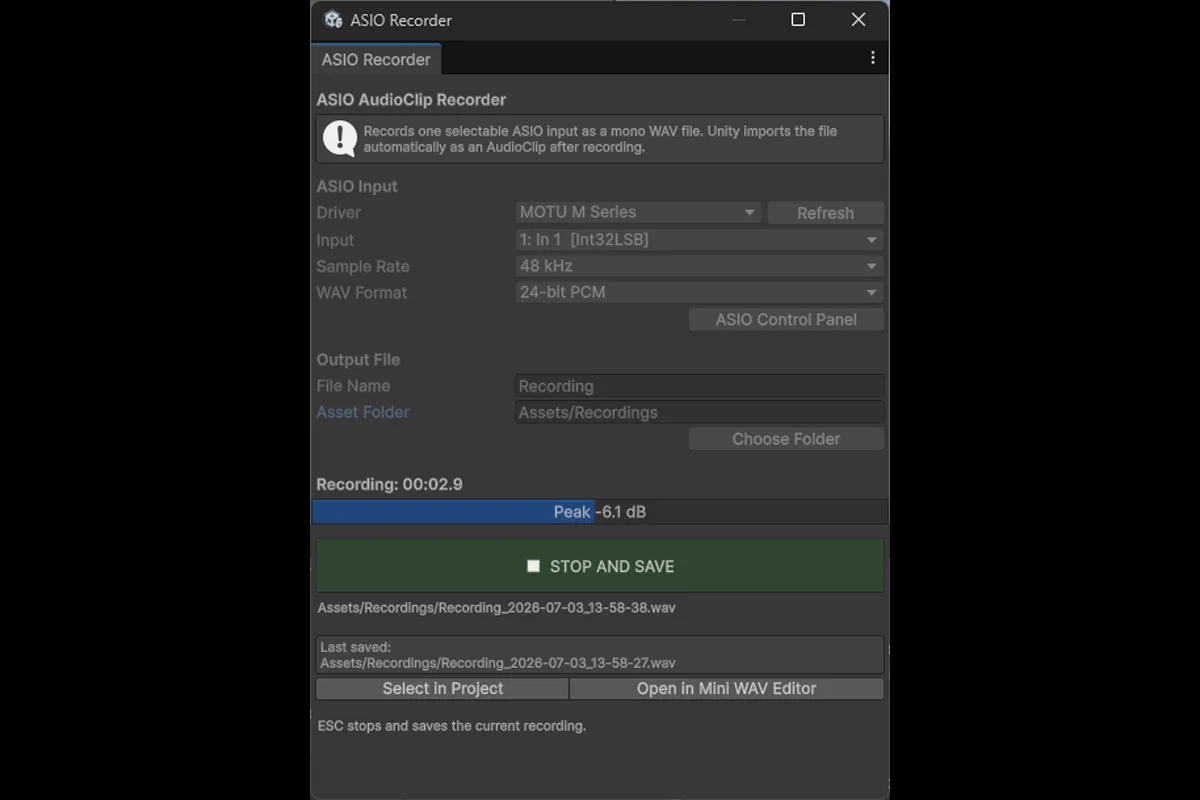
- Live input level meter and recording timer
- Stop and save with the button or Escape key
- Open recordings directly in the Mini WAV Editor
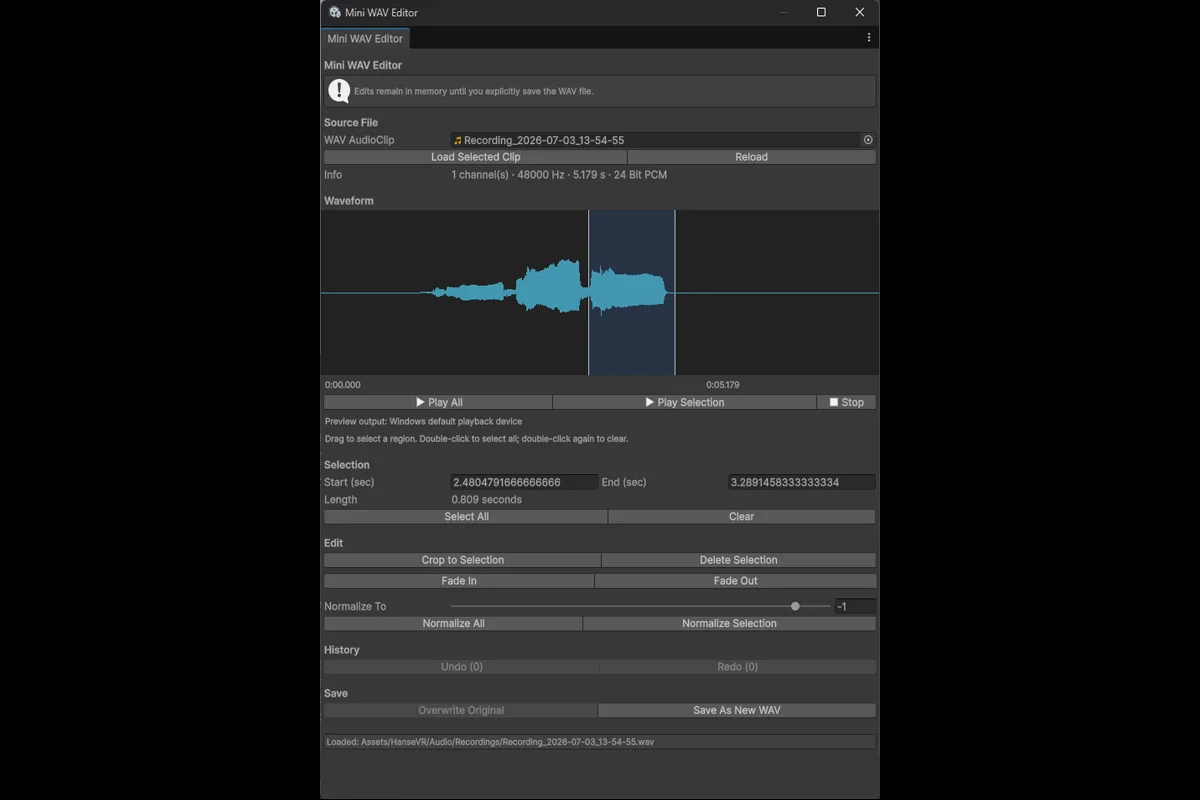
- Select waveform regions by dragging
- Double-click the waveform to select or clear the complete clip
- Crop to the selected region
- Delete selected regions
- Apply fade in and fade out
- Normalize the complete clip or a selection
- Undo and redo edits
- Preview through the Windows default playback device
- Open WAV AudioClips by double-clicking them in the Project window
- Save over the source WAV or create a new file
Requirements
- Unity 6.3 or newer
- Windows 10 or Windows 11
- A compatible installed 64-bit ASIO driver for recording
The Mini WAV Editor can also be used without ASIO hardware. Only the recording tool requires an ASIO driver.
This package is Editor-only and does not add runtime components to player builds.
Documentation, source code and support
Full documentation, source code and issue tracking are available on GitHub:
https://github.com/DINmatin/Unity-ASIO-Audio-Tools
For bug reports and feature requests:
https://github.com/DINmatin/Unity-ASIO-Audio-Tools/issues
Third-party software
This package includes NAudio 2.2.1 and related Microsoft .NET libraries under the MIT License. Full license information is included in Third-Party Notices.txt.
ASIO is a trademark and software of Steinberg Media Technologies GmbH. This package is not affiliated with or endorsed by Steinberg, Unity Technologies, Mark Heath, or Microsoft.